Manual Mode
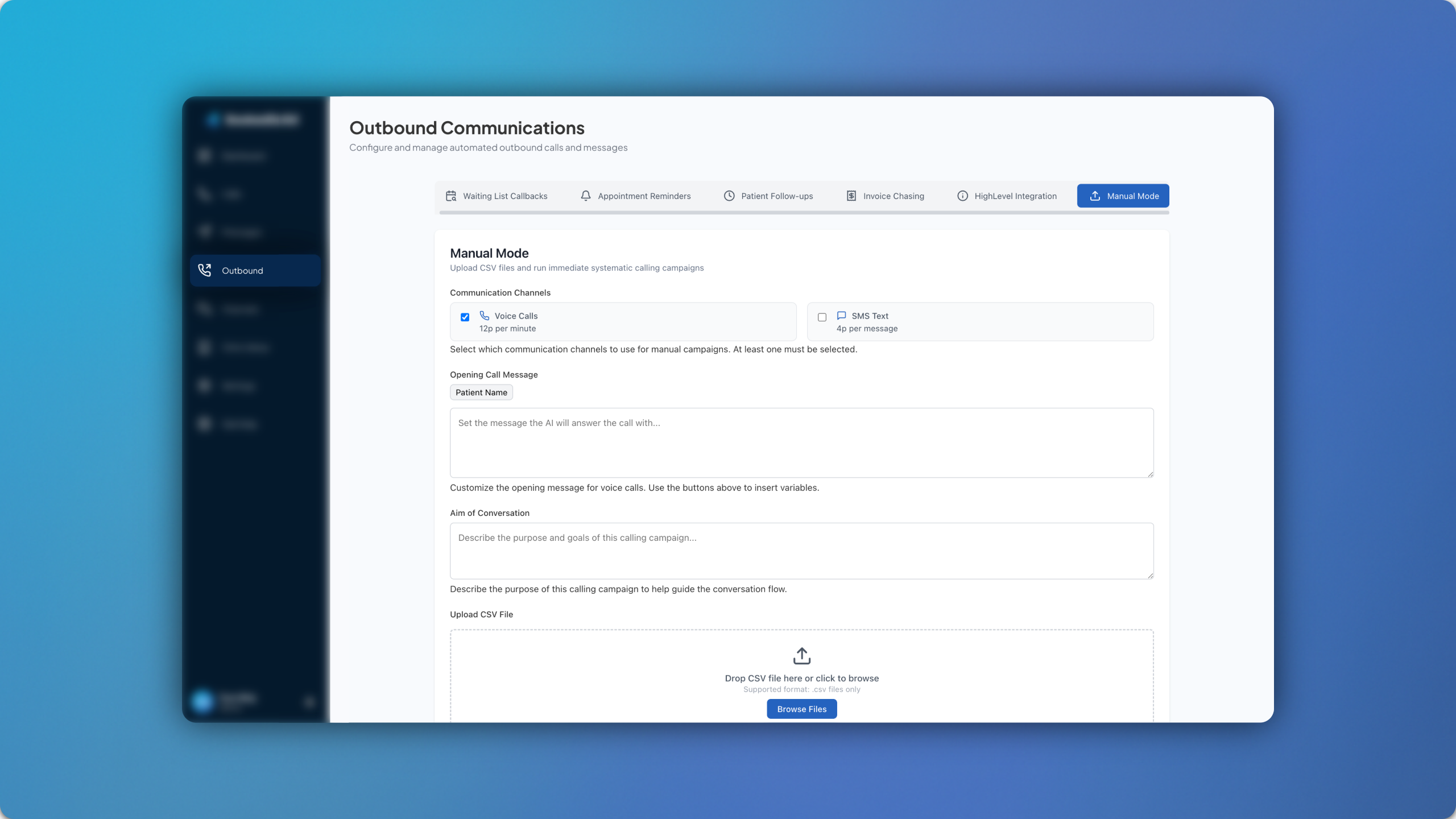
The new Manual Mode forms part of the existing Outbound Module and allows you to upload patient data from a spreadsheet/CSV file. ⚙️
Our task here is to automate things, but sometimes past patient records are in a format that is challenging to automate entirely. In this instance, the Manual Mode allows you to automate contact with the patient but through a traditional data set, such as a spreadsheet/CSV file.
The file can be uploaded and you can select whether you’d like it to run via calls or SMS. You can then enter the aim of the conversation (eg: check if patients are happy with their recent visit) as well as the opening message that you’d like the patients to receive. Once everything is ready, hit Start Campaign and the calls or SMS messages will automatically take place to all of the patients on the file at staggered intervals.