Location Assigned Phone Numbers
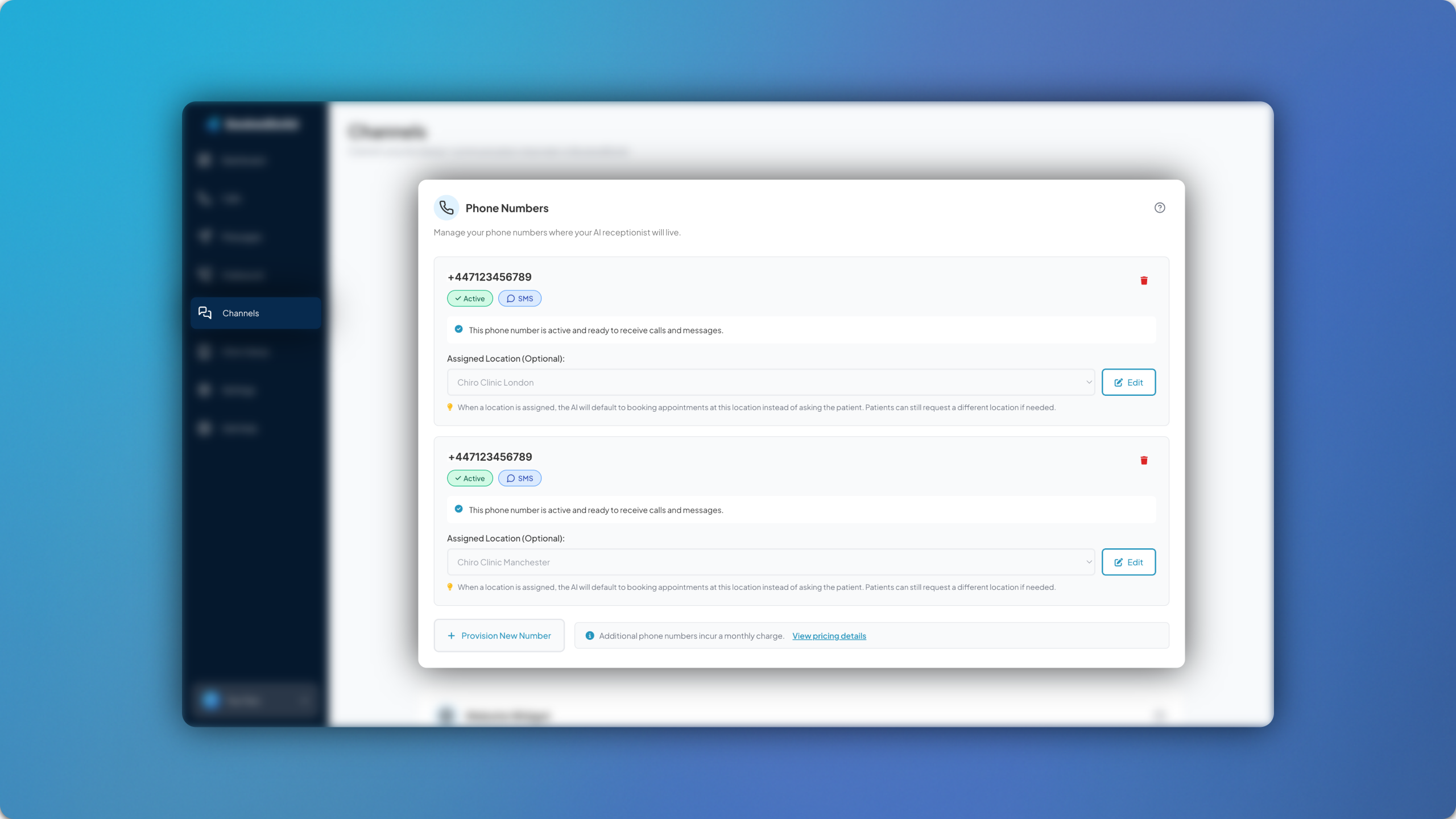
Location assigned phone numbers have been introduced to the platform, allowing you to add additional AI phone numbers to your account and assign them each a location.
How it Works
The first step is to provision a new number in Channels > Phone Numbers. Once this is ready you can then click Edit and assign a location to each of your numbers. Remember to click Save.
This sets a default location for the phone number, meaning if a patient calls, it will be assumed that they are looking for an appointment at that location, unless otherwise stated. If the patient asks for availability at a different location, they can still proceed to book an appointment.
Admin Setup
Once you’ve assigned a location to each phone number, you can then assign a notification email address as well as a call transfer number for each location. This can be done in Clinic Setup > Locations.