Call Scripting
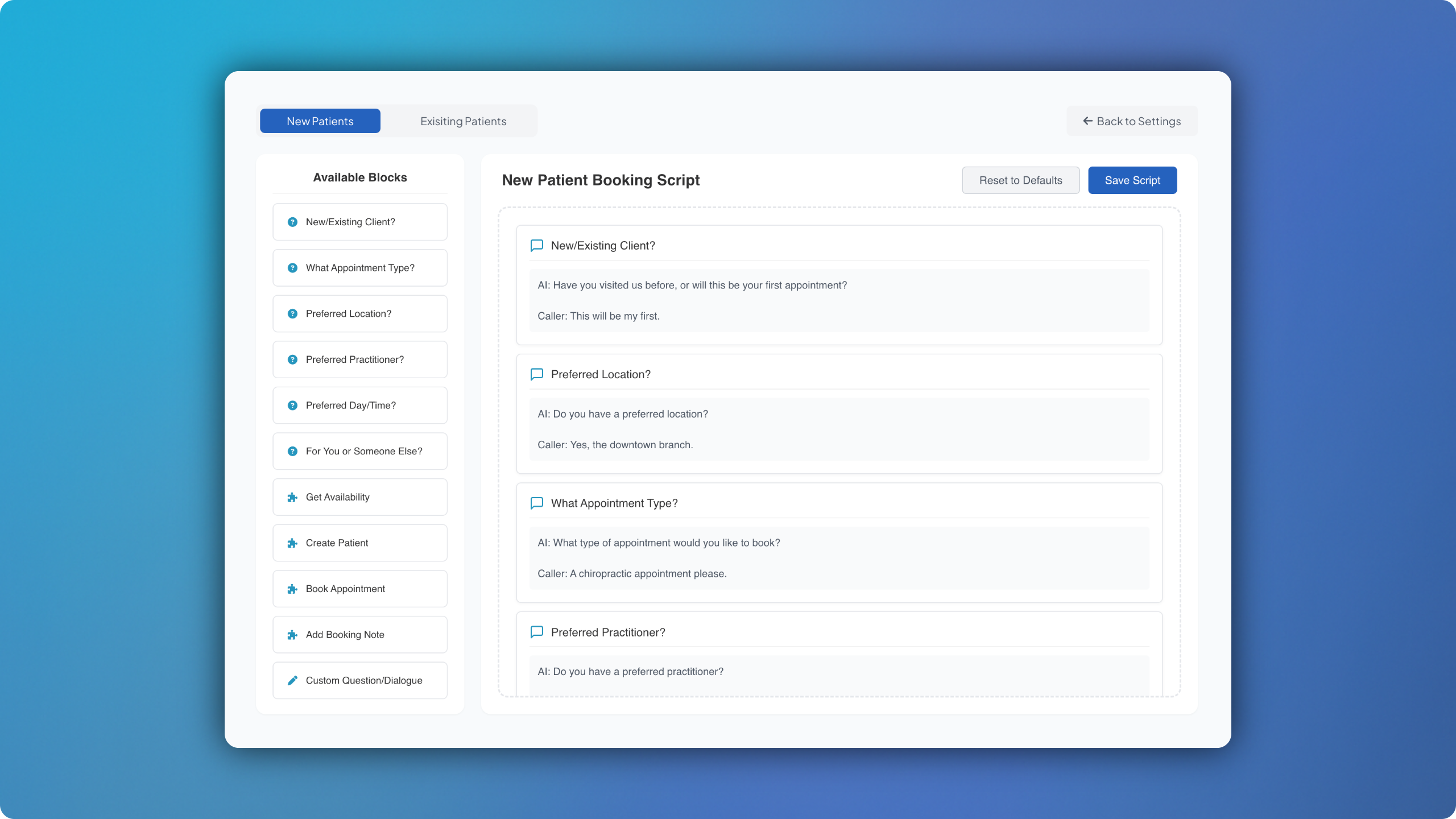
Call Scripting is finally here! 💥💥💥 Given each clinic has its own script for patient calls, we figured we’d give you the ability to control as much of this as possible! Simply head to Settings > Scripting > Edit Scripts. Here’s what you can do:
Create separate call scripts for new and existing patients.
Alter the order of each question.
Drag and drop new questions from the available blocks.
Add any custom questions that you may require.